The Problem
The tool ran daily operations. Nobody could explain it.
The Console had grown fragmented. Different workflows lived across disconnected views and legacy patterns. New users struggled to onboard. Existing users survived on memory and workarounds passed down like folklore.
The opportunity was not to redesign screens. It was to create clarity inside a system that runs live television every single day.
The Constraint
We had to redesign a tool we could not touch.
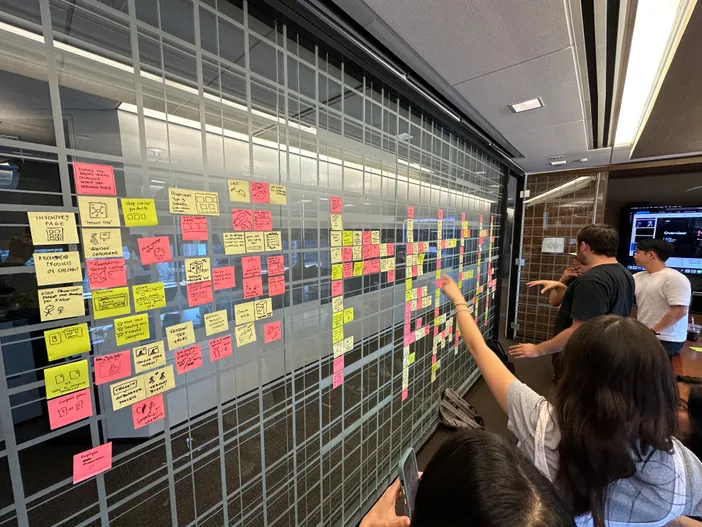
No direct access to the live system. No sandbox, no test account, no clicking around. Everything we learned came from walkthroughs, screen recordings, and stakeholder interviews, synthesized fast enough to keep pace with the project.
Designing blind forced a discipline: listen closely, validate constantly, and never assume a workflow works the way the interface implies. The constraint shaped every solution that followed.
Understanding
Two teams. Four jobs.
One tool failing them both.
"We have to pull from multiple places just to onboard one channel."
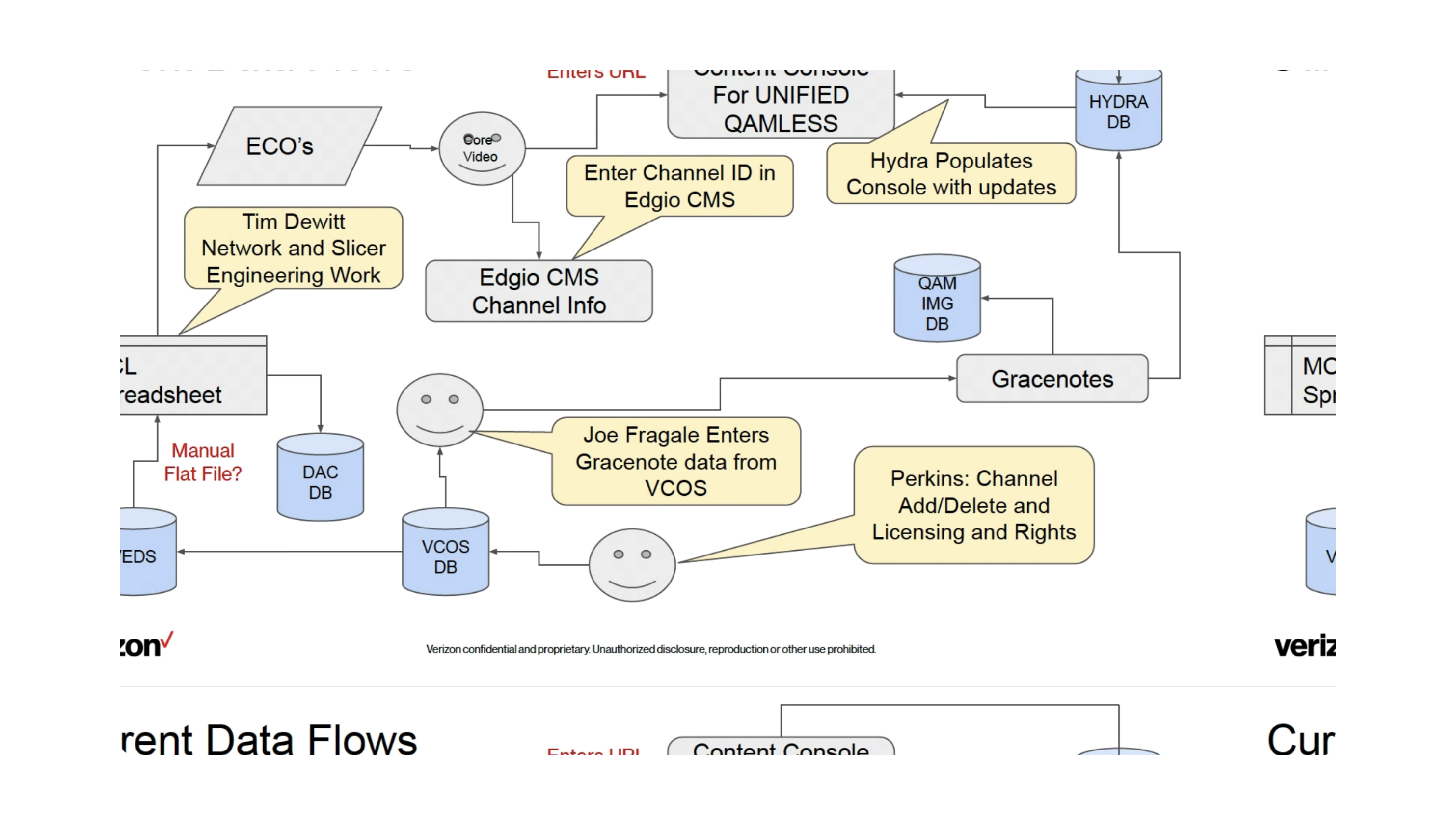
Two teams relied on the Console daily: one onboarding channels, the other troubleshooting live issues. We documented four core jobs, managing channels, scheduling content, updating metadata, and responding to issues, all funneling through the same tool.
But data lived across different sources. Confirming a channel was live, applying updates, or filtering by device and region required manual steps and cross-checking across systems. For time-sensitive work, that gap was the whole problem.
The Direction
Createacentralizedoperationaldashboardthatsupportshowteamsactuallymanagecontent.
Phase 1 · Network Teams
Making daily channel work scannable and fast.
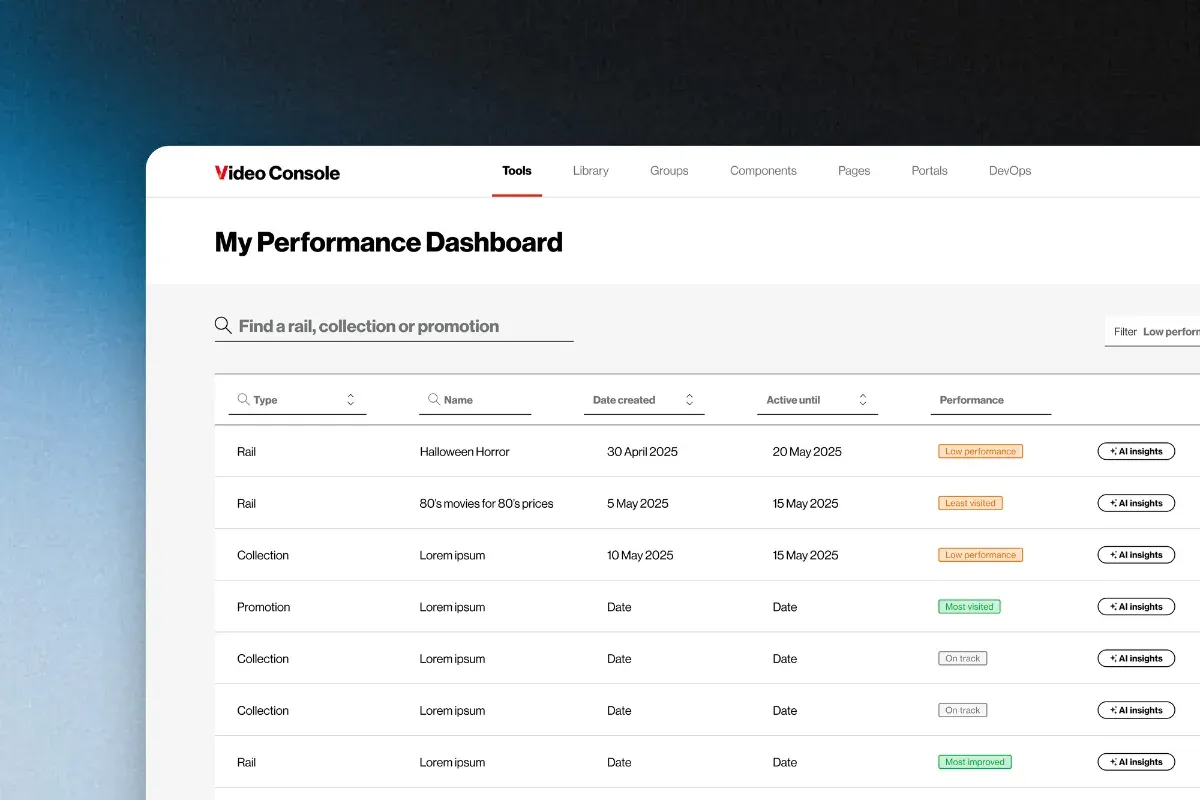
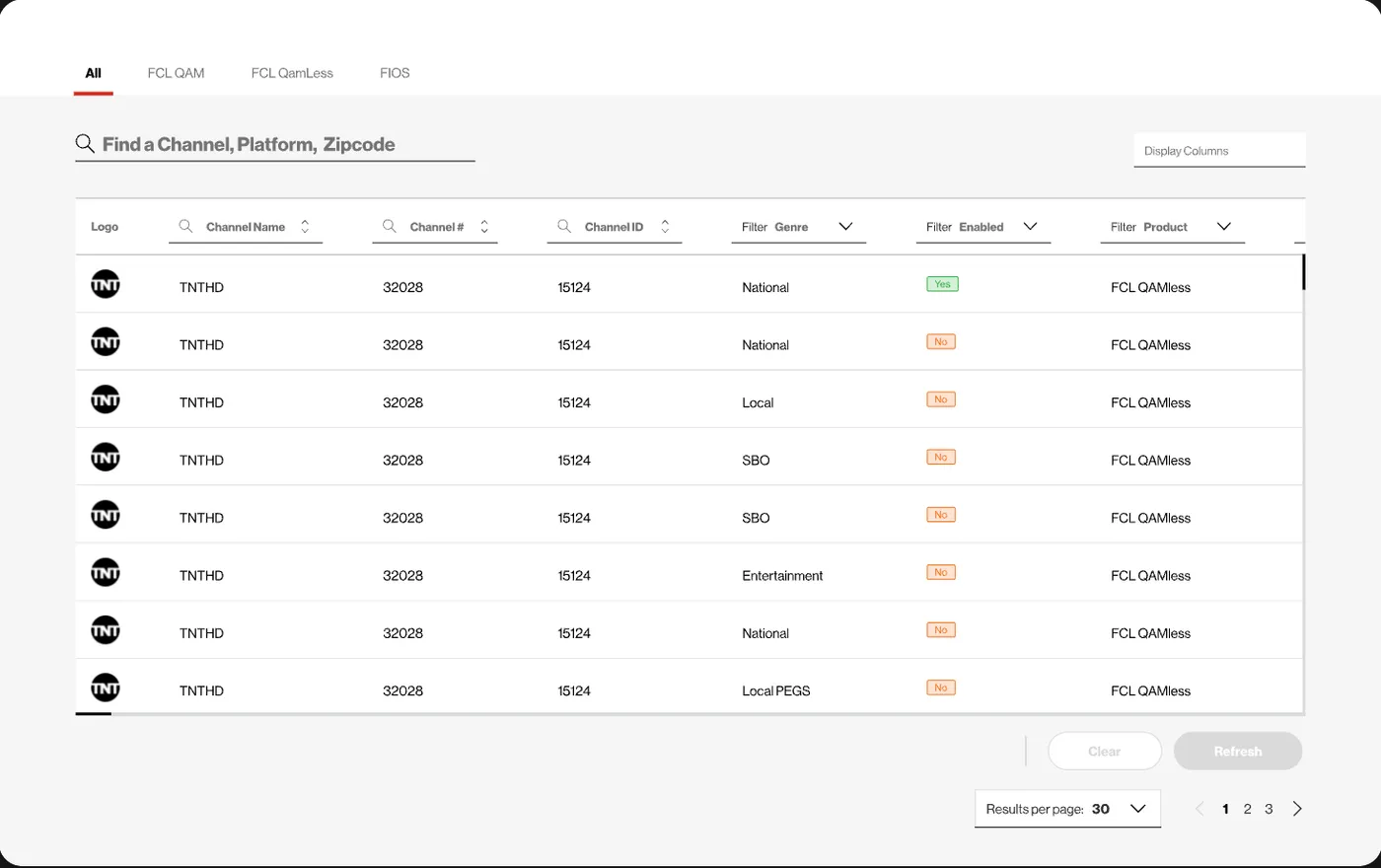
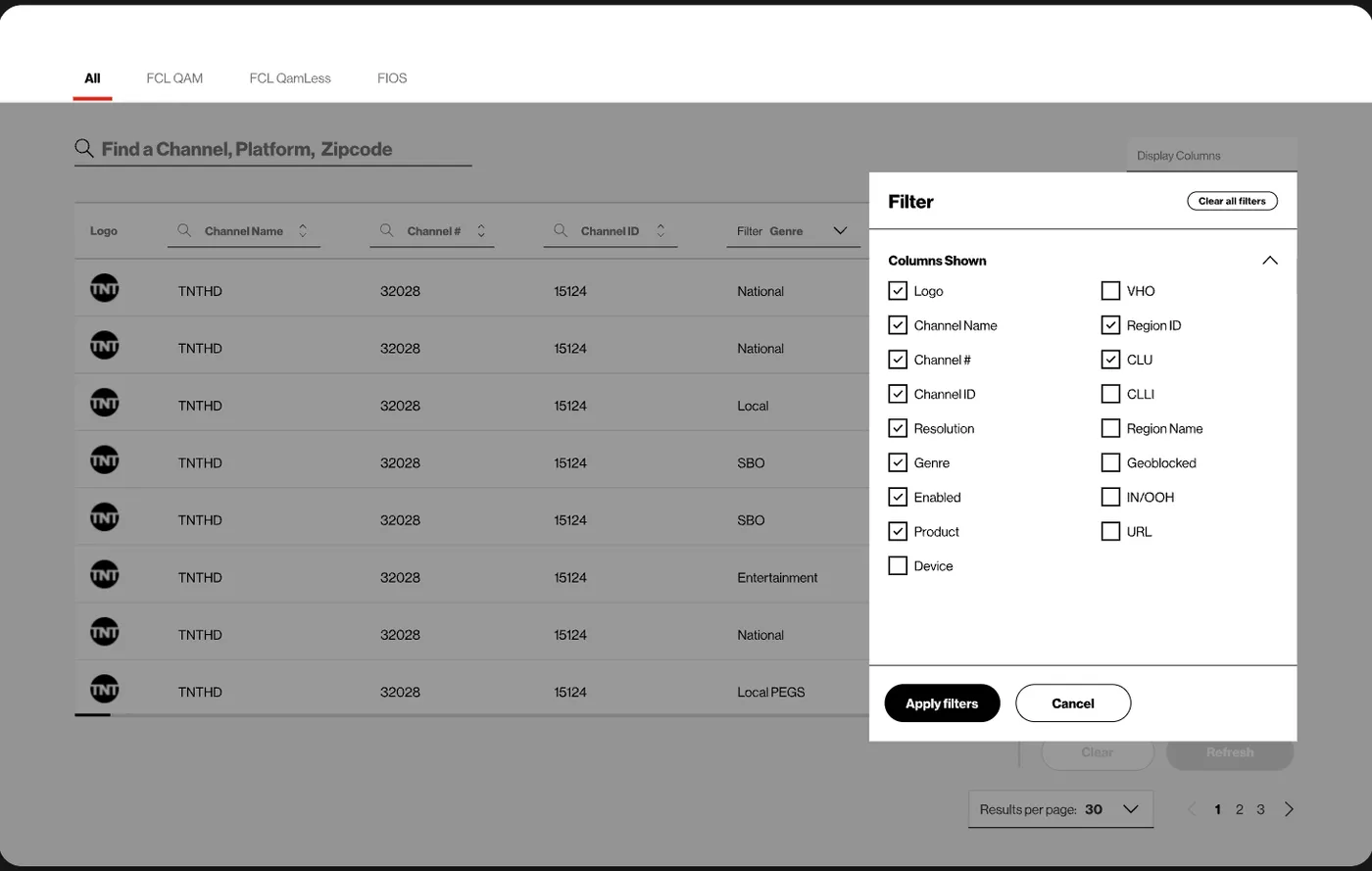
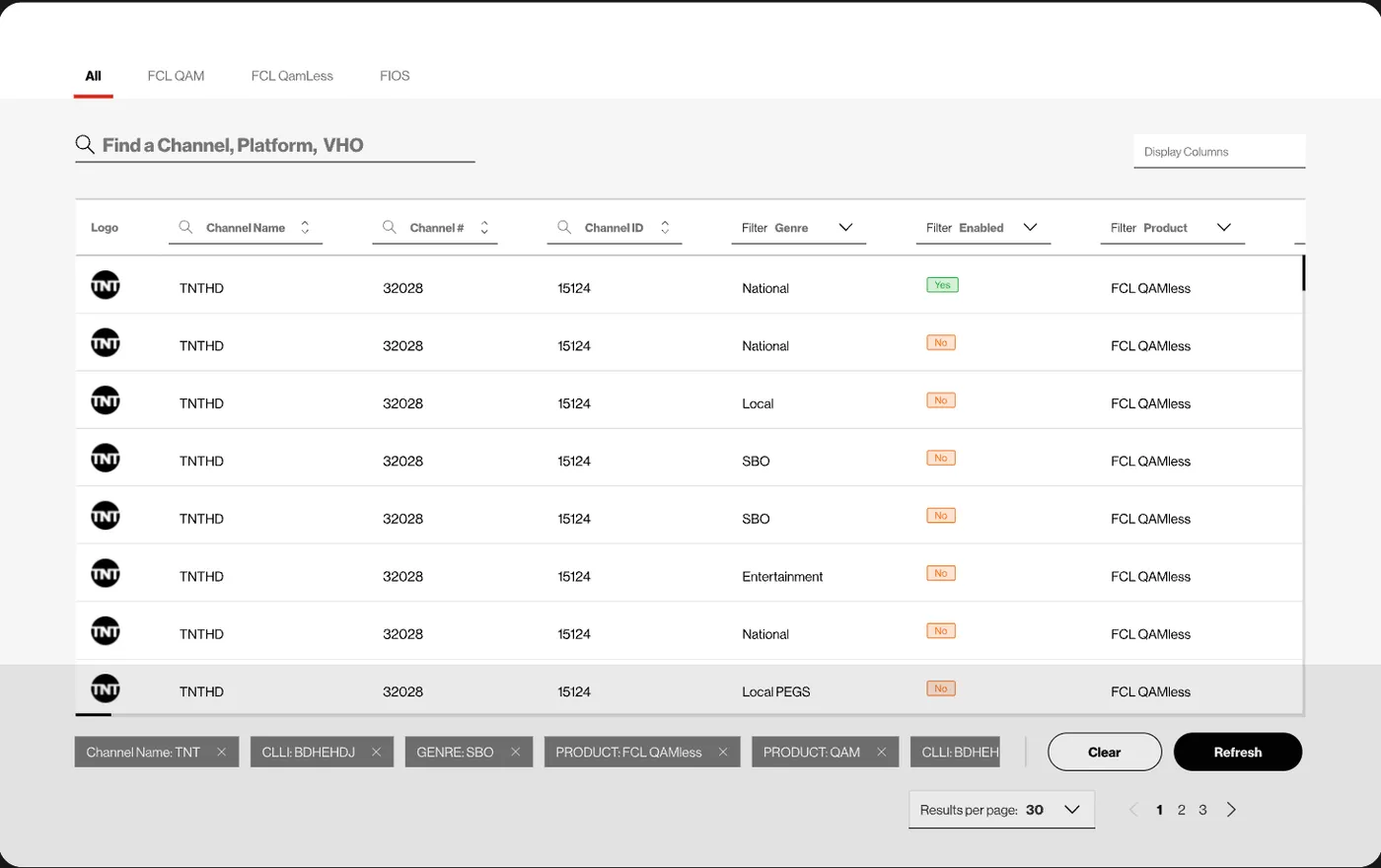
Most daily use centered on creating and updating channels, so the dashboard had to be effortlessly scannable and filterable. Search by channel name, sort by any column, filter by type, with a one-tap clear so nobody digs back through input fields.
Built around how signals actually move.
Channel data had to be broken down by how networks transmit video and voice. We introduced tabs for QAM systems, QAMless systems, and Fios GAM setups so teams manage the correct data by transmission type without cross-referencing.
SBO · Sports blackouts.
When a live game takes over a channel, its normal content goes dark. The blackout function existed for VOD only. We made the same control seamless for linear, where timing is unforgiving.
CLLI codes.
A unique code marking the physical location of a network site, varying across channels, devices, and regions. We surfaced them where technicians actually needed them instead of a separate lookup.
Phase 2 · Frontline Support
Built for agents fielding calls in real time.
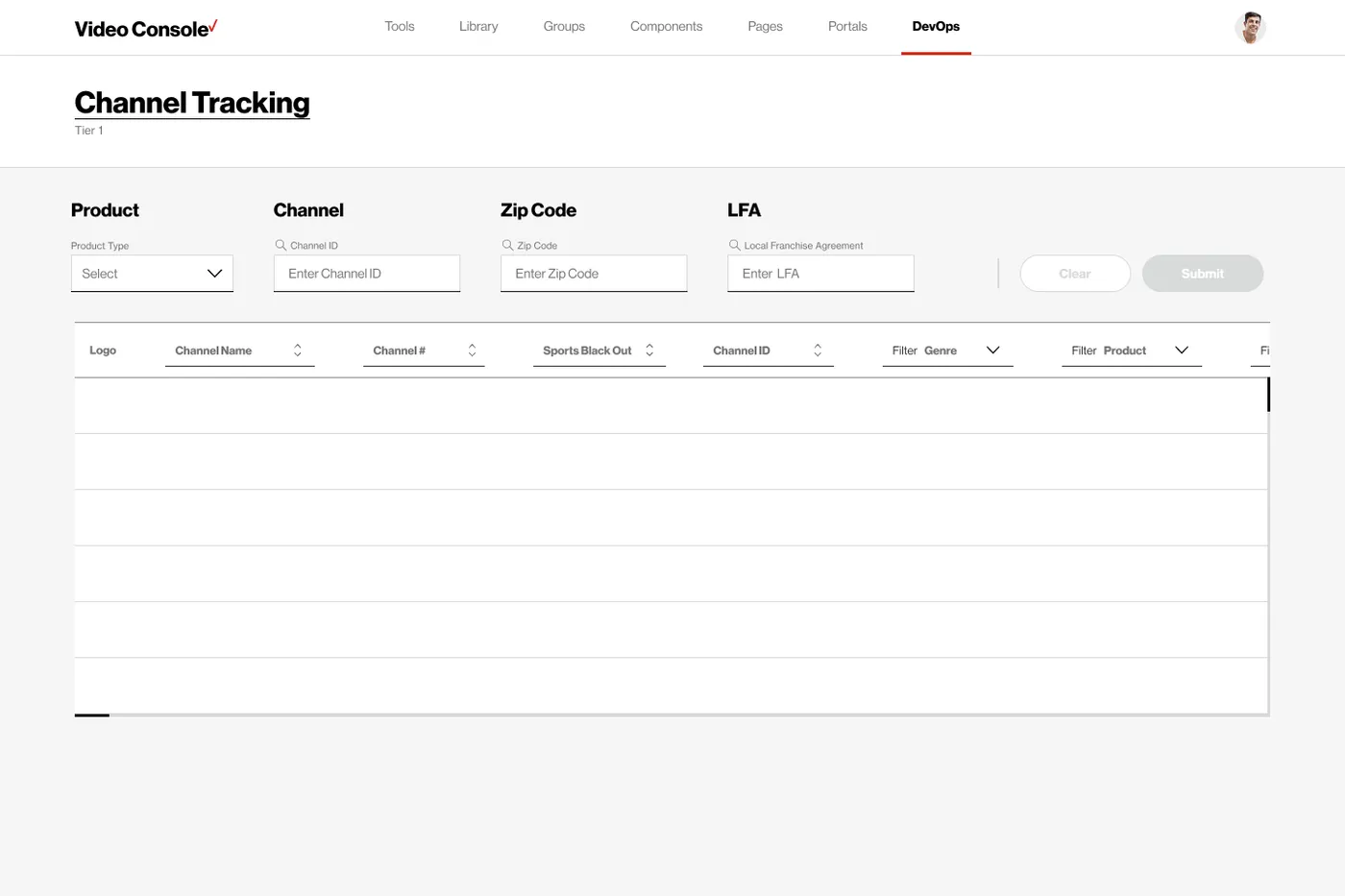
The Channel Tracking dashboard helps support agents quickly field calls and report channel issues. The team was large with high turnover, so speed of learning mattered as much as speed of use. A new agent's first week became part of the design brief.
The onboarding flow we were never asked for.
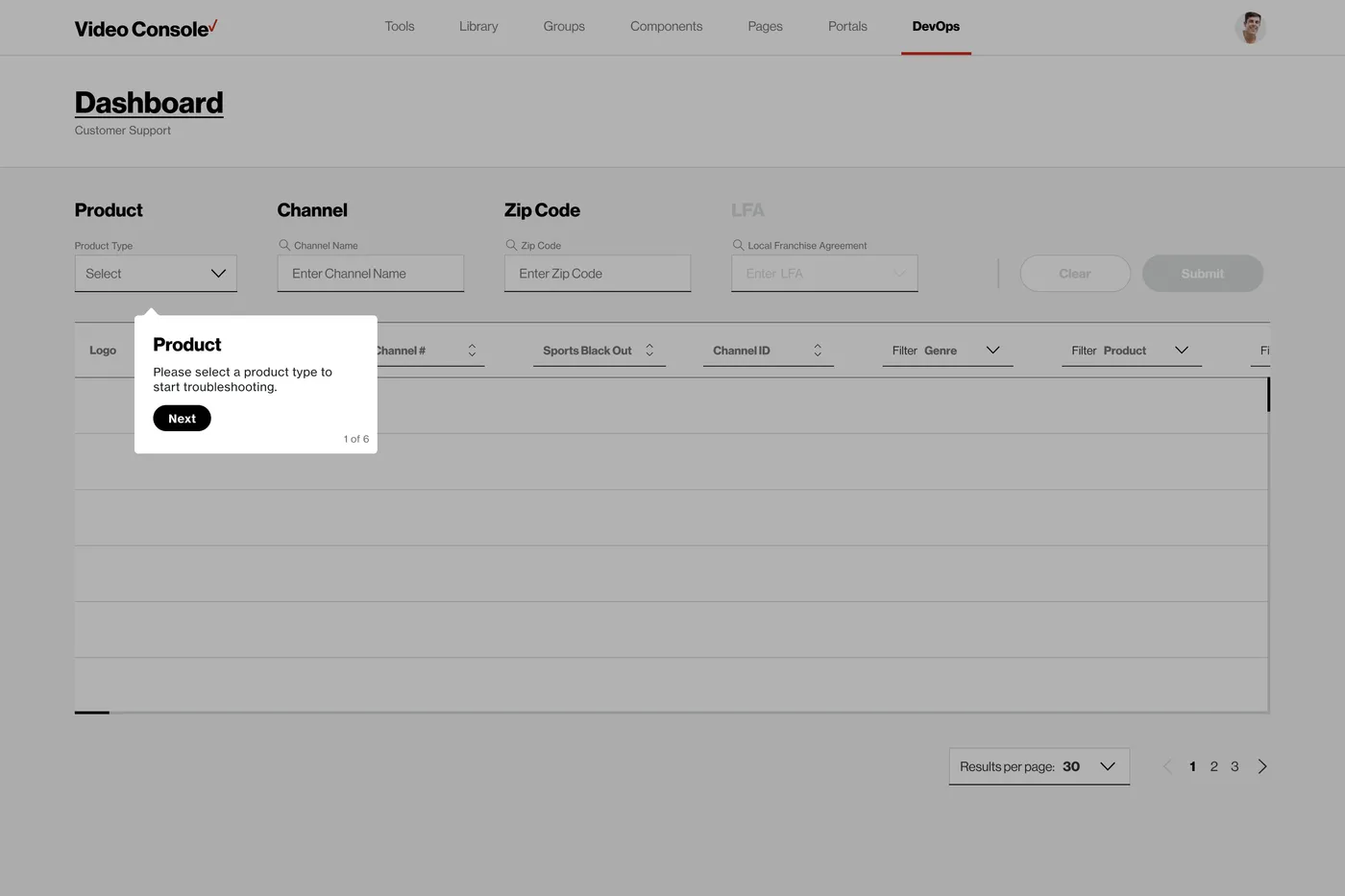
Interviews kept surfacing the same pain: new agents thrown into the tool cold. We proactively designed an onboarding flow for the support team, unprompted, because the research made the need impossible to ignore.
Reflection
What designing blind actually teaches you.
The Console was a mystery at the start, and we never got the keys. Synthesizing walkthroughs, recordings, and stakeholder input into a working mental model forced us to stay adaptable and focus on the workflows that mattered most to both network and support teams. Ambiguity became the method.
Today, the redesigned Console is actively used by Verizon. Formal efficiency metrics are not yet available, but ongoing client check-ins reflect positive sentiment and growing confidence in the tool. Quiet software, working.